

Day 6 - Unlocking Networking Essentials: Key Concepts and Technologies
I have a strong and evolving interest in cybersecurity and ethical hacking, proven by my top 1% rank on TryHackMe, completion of SOC Fundamentals, multiple Udemy courses, and active participation in CTF programs and practical hacking series. Currently, I work as a Cybersecurity Associate at Sattrix Information Security, where I serve as an ArcSight Administrator and have hands-on experience with SIEM tools like Splunk and NewEvol.
Alongside cybersecurity, I also have a background in web development with experience in HTML, CSS, JavaScript, and Python scripting. I’m deeply committed to continuous learning and real-world application, with a consistent track record of completing certifications and challenges. Despite ongoing health challenges that impact productivity, I remain focused on deepening my expertise and building a successful career in cybersecurity and ethical hacking.
In this blog, we’ll explore key networking topics that are essential to building a strong foundation in networking. These topics will help you understand the technologies behind modern networks and guide you in implementing secure, scalable systems.
1. Wide Area Network (WAN): Connecting the World
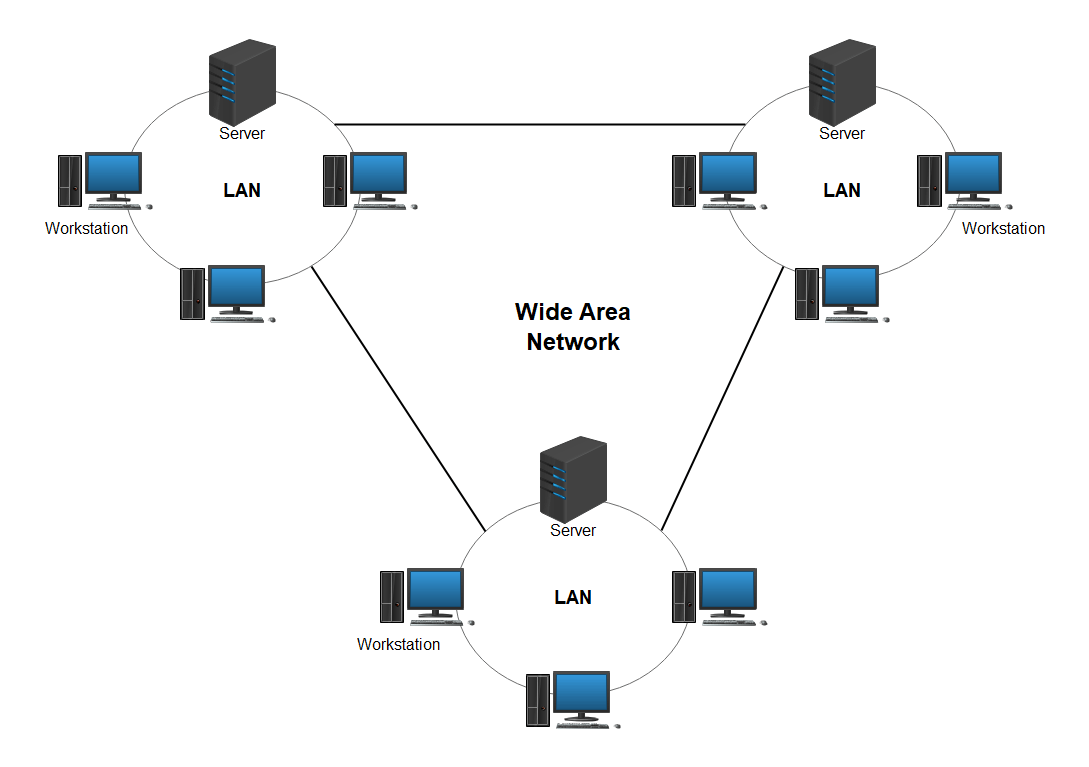
WAN (Wide Area Network) allows devices to communicate over large geographic areas—across cities, countries, or continents. This is what makes global communication and remote work possible. Unlike a LAN (Local Area Network), which is confined to a single building, WANs enable communication between different office locations, branches, or data centers.
In businesses, WANs play a critical role in providing remote access for employees, connecting cloud applications, and ensuring global collaboration. These networks are usually built using technologies like leased lines, MPLS, and internet VPNs.
2. WAN Technologies: The Backbone of Connectivity
MPLS (Multiprotocol Label Switching) is one of the leading WAN technologies. It improves the speed of data flow across the network by attaching labels to packets, which allows routers to forward packets more efficiently. This results in reduced delays and better performance for large organizations.
Frame Relay: Although somewhat outdated today, frame relay was once widely used for providing efficient and cost-effective data transmission across wide distances. It's being replaced by more modern technologies like MPLS and VPNs.
VPN over the Internet: In today’s world, businesses use Virtual Private Networks (VPNs) over the internet to securely connect branch offices and remote workers to internal company networks. This allows for secure data exchange over untrusted public networks like the internet.
3. Virtual Private Network (VPN): Securing Remote Connections
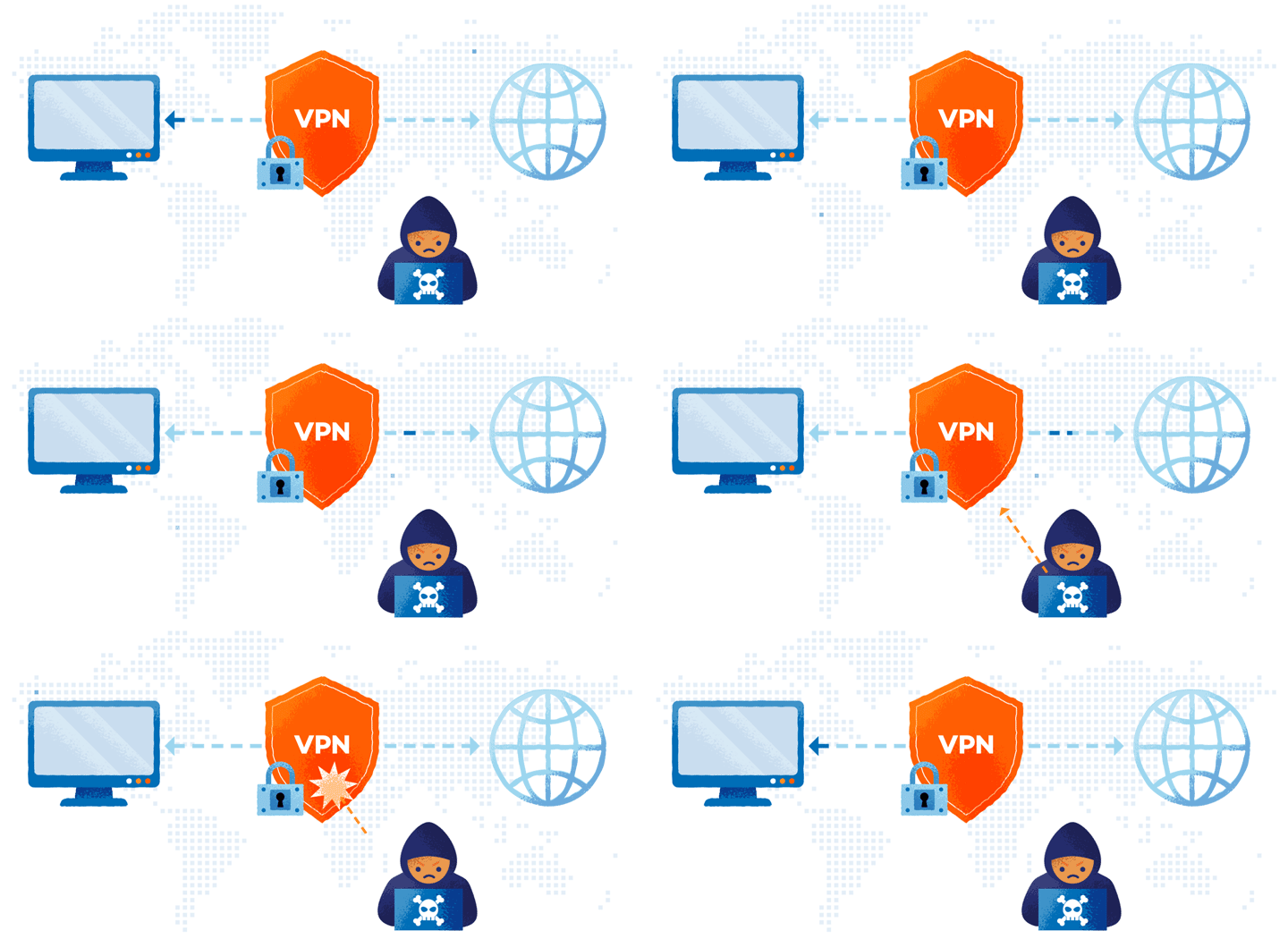
A VPN establishes a secure, encrypted tunnel between a device (such as a computer or mobile phone) and a remote server or network. This means that even when you connect to the internet via an insecure network, such as public Wi-Fi, your data remains protected from hackers or eavesdropping.
VPNs are particularly valuable for remote employees who need to securely access company resources from home or while traveling. It also enables businesses to securely connect geographically dispersed office locations or branch offices over the internet, without sacrificing security.
4. Virtualization: Maximizing Resource Efficiency
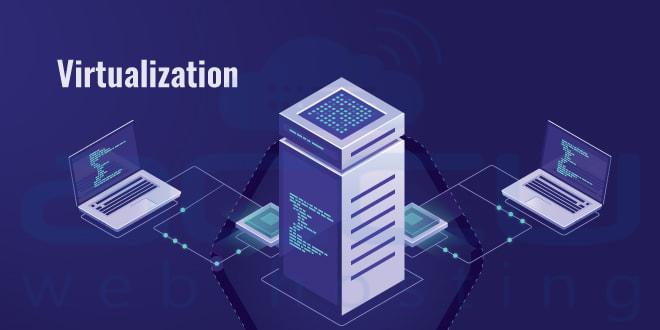
Virtualization refers to creating virtual instances of physical resources—such as servers, storage devices, or networks. This allows multiple virtual systems to run on a single physical machine, improving resource utilization and reducing hardware costs.
Virtualization is a key technology in modern cloud computing and data centers, where IT resources are pooled and shared across multiple applications and services. It provides flexibility, scalability, and high availability—critical factors in today's enterprise environments.
By virtualizing hardware resources, companies can quickly scale up or down based on demand, ensuring that resources are used efficiently without wasting energy or physical space.
5. Network-Based Storage: Accessing Data Across the Network
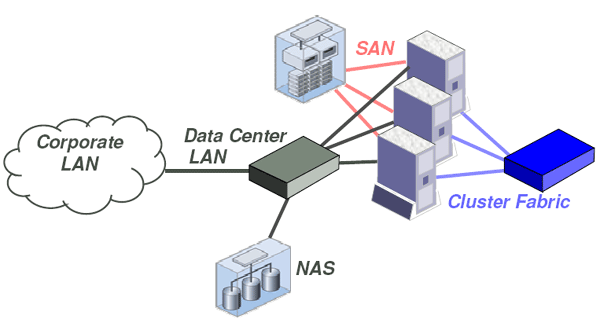
Network-Attached Storage (NAS) and Storage Area Networks (SAN) are two common types of network-based storage systems that allow multiple devices to access shared storage over a network.
NAS is primarily used for file-level storage. It allows users to store and share files on a centralized server, making it easier for employees to access the same documents, photos, or videos from different locations.
SAN, on the other hand, offers high-performance block-level storage often used for critical enterprise applications, such as databases. SANs are designed for applications that require high-speed, low-latency access to storage and are typically used in data centers to provide a shared pool of storage devices.
6. IPv6: The Future of Internet Addressing
IPv6 (Internet Protocol version 6) was designed to address the limitations of the older IPv4 protocol, primarily the shortage of available IP addresses. IPv6 uses 128-bit addresses, which provides an almost infinite number of unique IP addresses, far exceeding the limitations of IPv4’s 32-bit address scheme.
In addition to providing a virtually unlimited number of addresses, IPv6 improves security by incorporating mandatory encryption and better routing features. The transition from IPv4 to IPv6 is happening gradually as more and more devices and networks switch over to IPv6 to support the growing number of connected devices.
7. Fault Tolerance for Default Gateways: Ensuring Network Availability
Fault tolerance is critical to ensure that a network remains operational even when individual components fail. A default gateway is the device that routes traffic from a local network to external networks. If the default gateway fails, the entire network could lose internet access.
To prevent this, networks implement redundancy measures. For example, HSRP (Hot Standby Router Protocol) and VRRP (Virtual Router Redundancy Protocol) allow a backup router to take over automatically if the primary gateway fails. This ensures continuous network connectivity, reducing downtime and improving the reliability of the network.
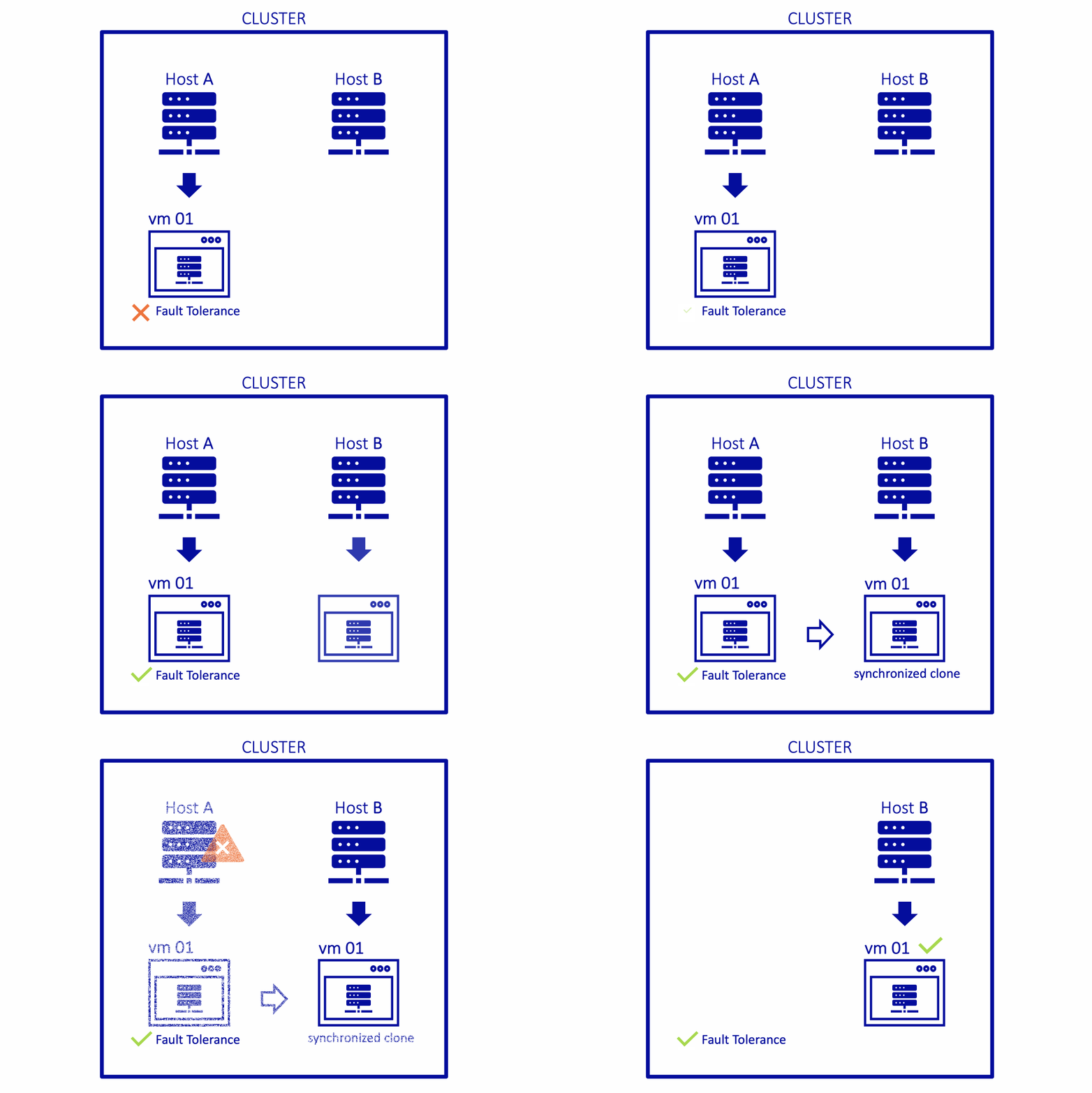
8. Requirements for Implementing a Network: Planning for Success
Setting up a network involves several critical components and considerations:
Hardware: Key devices like routers, switches, firewalls, and access points need to be chosen based on the network's needs, scalability, and performance requirements.
Bandwidth: The network’s bandwidth must be sufficient to handle the expected volume of data traffic to avoid slowdowns or bottlenecks.
Security: Network security is a top priority, including firewalls, encryption, and intrusion detection systems to protect against cyberattacks and unauthorized access.
9. Physical Access Control: Securing Network Devices
Physical access control is about restricting who can physically access your network equipment (like routers, servers, or switches). Securing these devices prevents unauthorized individuals from tampering with or disconnecting critical network components.
Methods include biometric access, keycards, and security cameras to monitor areas where sensitive equipment is stored, ensuring that only authorized personnel have access to the network infrastructure.
10. Power Management: Keeping the Network Running Smoothly
Effective power management is essential for maintaining the uptime and reliability of network devices. Uninterruptible Power Supplies (UPS) provide backup power during outages, allowing enough time to shut down critical devices safely or switch to backup generators.
Power management also includes ensuring that network devices are energy-efficient to reduce electricity costs and minimize environmental impact.
11. Network Topologies: Designing the Network Structure
Network topology defines how devices are connected within a network. Common types of network topologies include:
Bus Topology: A single central cable (bus) connects all devices. Data is transmitted in both directions along the bus.
Star Topology: Devices are connected to a central hub or switch, making it easier to manage and troubleshoot.
Ring Topology: Devices are connected in a circle, with data passing through each device in one direction.
Mesh Topology: Every device is connected to every other device, providing redundancy and fault tolerance.

12. Network Isolation and Segmentation: Enhancing Security
Network segmentation divides a network into smaller, isolated sections to improve performance and security. For example, a company might isolate its finance department's network from other departments to protect sensitive financial data.
VLANs (Virtual Local Area Networks) are commonly used to segment networks logically, creating virtual boundaries for different devices or user groups. This reduces the risk of lateral movement by attackers and helps prevent unauthorized access.
13. Unified Communications: Simplifying Communication
Unified Communications (UC) integrates various communication methods—such as voice calls, video conferencing, instant messaging, and email—into a single platform. This simplifies communication within organizations and reduces the need for multiple, disjointed communication systems.
UC improves collaboration by allowing employees to use different devices (phones, computers, tablets) to access the same communication tools, increasing productivity and reducing communication barriers.
14. Network Monitoring Tools: Ensuring Optimal Performance
Network monitoring tools are essential for keeping track of the health and performance of a network. These tools allow network administrators to monitor metrics such as uptime, traffic flow, packet loss, and device status.
Wireshark is an excellent tool for packet-level analysis, helping identify network issues at the data packet level.
SolarWinds and Nagios provide comprehensive network monitoring solutions to track device health, performance, and security in real-time.
15. Routing Metrics: Choosing the Best Path
Routing metrics are used by routers to determine the most efficient path for data to travel across a network. Common metrics include:
Hop count: The number of intermediate devices (routers) a packet must pass through.
Latency: The delay between sending and receiving data.
Bandwidth: The data transfer capacity of a given path.
16. Interface Monitoring: Keeping an Eye on Network Devices
- Interface monitoring involves keeping track of the status of network interfaces on devices like routers and switches. Administrators monitor metrics like packet loss, error rates, and throughput to ensure optimal network performance. If issues arise, such as a bottleneck or failed interface, they can be quickly identified and resolved.


